
Download Able Photo Resizer – Image Resizing Tool for Web Uploads
Overview
Able Photo Resizer is a specialized mobile application designed to simplify the process of resizing digital images for web use. The app enables users to adjust the dimensions of photos captured with smartphones or digital cameras, ensuring optimal file size and format compatibility for online platforms. Its primary function is to streamline image preparation, reducing the time and effort required to optimize large batches of photos for upload. This makes it particularly useful for content creators, social media managers, and individuals who frequently share images across digital channels.
By supporting batch processing, the app addresses a common pain point: the repetitive task of resizing images individually. This functionality enhances productivity, especially when handling photo collections from events, travel, or daily documentation. The target users include both casual smartphone users and professionals who require consistent, efficient image management. While the developer’s background is not publicly detailed, the app’s focus on utility and performance suggests a practical, user-driven development approach.
Real-world applications include preparing images for email attachments, website galleries, or social media posts where file size and resolution must meet specific guidelines. In the broader app ecosystem, Able Photo Resizer fills a niche for lightweight, no-frills tools that deliver precise control without unnecessary complexity. Its emphasis on efficiency and file optimization positions it as a valuable utility in a user’s digital toolkit.
Key Features & Functionality
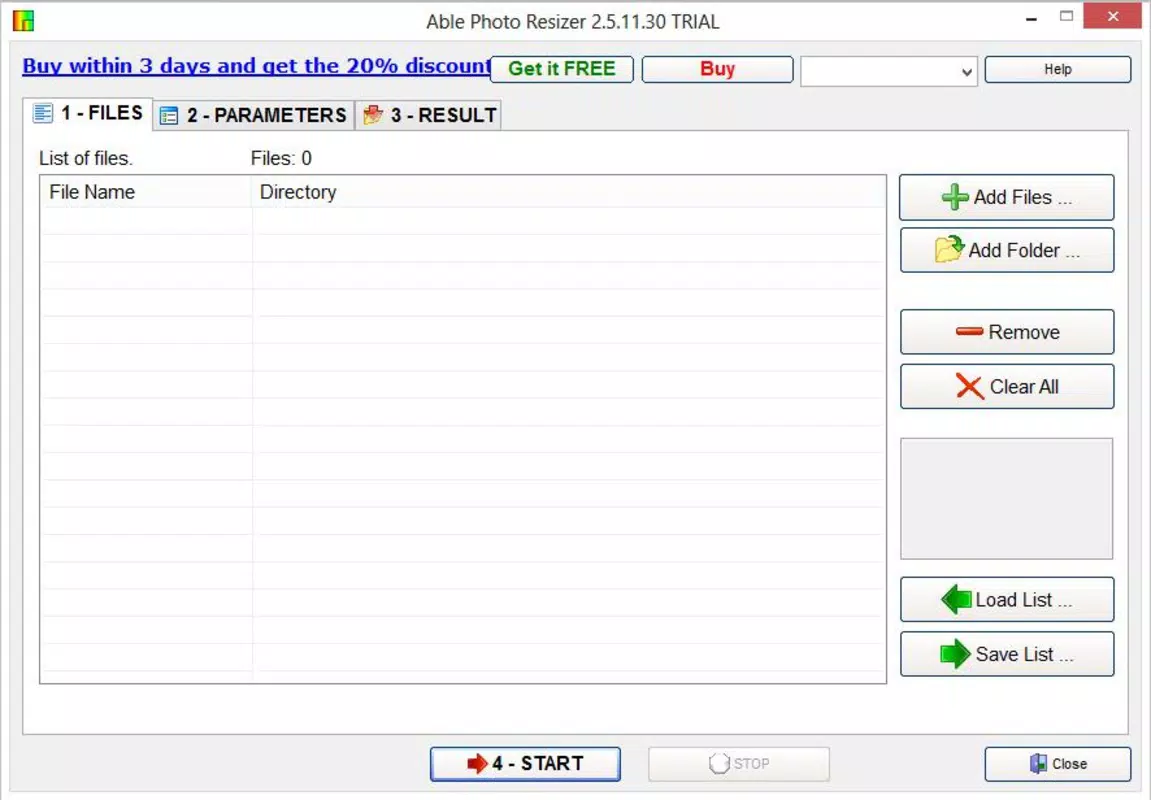
- Batch Resizing Capability: Users can select multiple images at once and apply resizing parameters in a single operation. This reduces processing time and minimizes manual effort, ideal for users managing dozens or hundreds of photos.
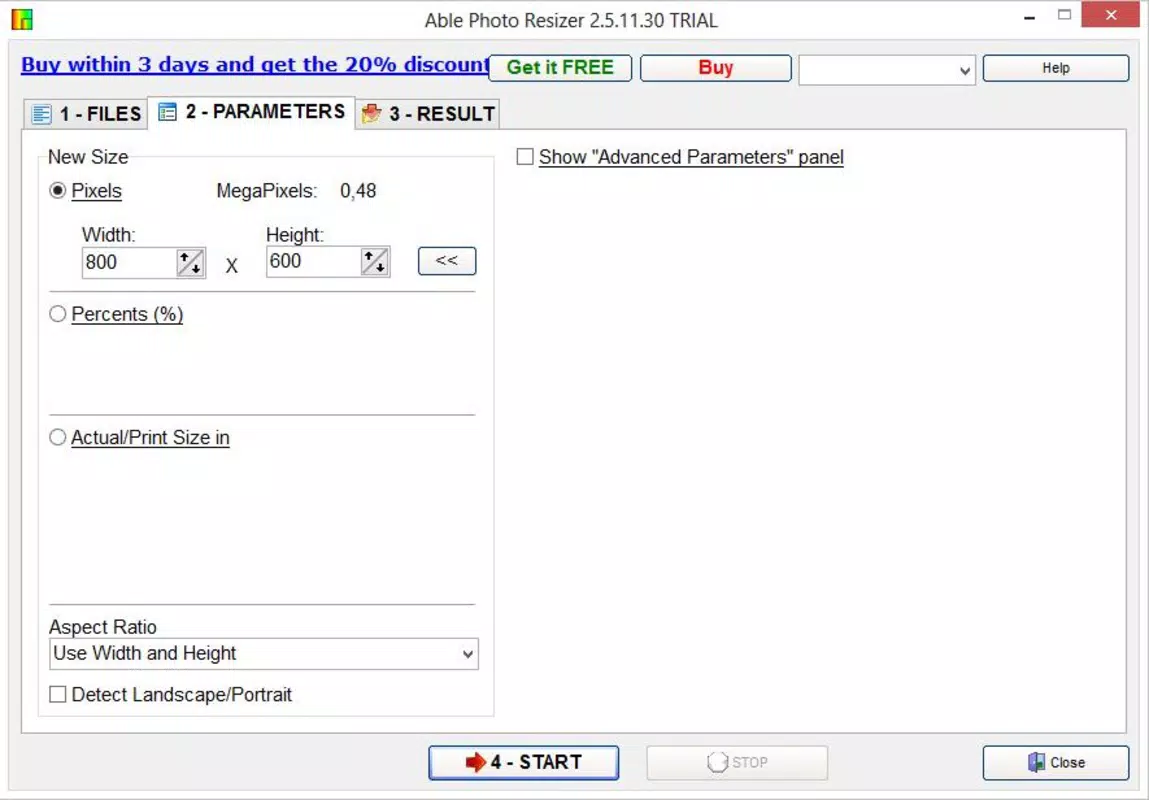
- Custom Size Options: The app allows precise input of width and height values. Users can also choose to preserve the original aspect ratio, preventing distortion during resizing and maintaining image quality.
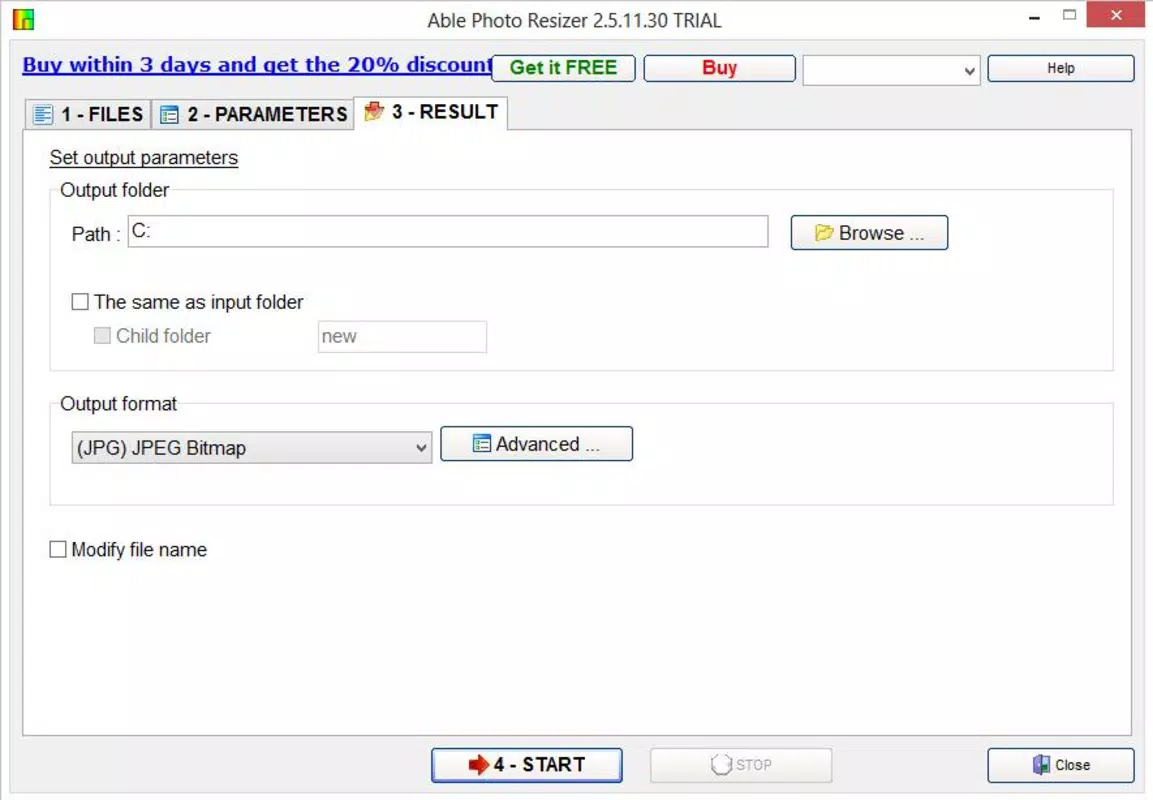
- File Renaming Functionality: Before saving resized images, users can modify file names. This feature supports organized workflows, especially when preparing images for projects, portfolios, or automated systems.
- Wide Format Support: Able Photo Resizer handles over 60 input and output formats, including JPEG, PNG, BMP, GIF, and others. This ensures compatibility across various devices and platforms, minimizing format-related errors.
- Storage Optimization: By reducing image file sizes without significant loss of visual quality, the app helps users free up device storage space, which is especially beneficial for users with limited internal memory.
For example, a photographer preparing images for a client presentation can resize 50 high-resolution photos in seconds, rename them sequentially, and export them in a standardized format—all within the app. Similarly, a student uploading assignments with image requirements can quickly adjust file dimensions to meet submission guidelines.
Interface, UX & Performance
The user interface of Able Photo Resizer is designed with simplicity and functionality in mind. The layout is clean, with clearly labeled sections for selecting images, adjusting dimensions, and applying settings. Navigation is intuitive, allowing users to move seamlessly between selection, configuration, and export steps. Visual feedback is consistent, with progress indicators during batch processing to inform users of ongoing tasks.
Interaction is responsive across different screen sizes, suggesting optimization for various device categories. Although the developer did not list formal performance metrics, the app’s ability to handle multiple image operations suggests efficient memory and processing management. Users can expect stable performance during resizing tasks, with minimal crashes or freezes under normal usage conditions.
Responsiveness is maintained during file selection and preview stages, ensuring a smooth experience even when working with large image sets. The app does not appear to require excessive system resources, which contributes to its reliability on mid-tier and higher-end devices. However, specific requirements were not listed, so compatibility may vary based on individual device configurations.
Platform Compatibility & Technical Requirements
Able Photo Resizer is available on Android, supporting the latest versions of the operating system. The app has a file size of 10.2 MB, which is compact for a utility tool with extensive image processing capabilities. The software version is 1.0.2, released on October 14, 2021.
The developer did not specify minimum OS requirements or device compatibility details. As such, users are advised to ensure their devices meet standard Android system standards for app installation. While no specific hardware specifications were provided, the app’s lightweight footprint suggests it can run efficiently on a wide range of Android devices, including those with limited storage or processing power.
Pros and Cons
Pros
- Efficient batch resizing saves significant time when processing multiple images.
- Customizable dimensions with aspect ratio preservation ensures high-quality output.
- Support for over 60 file formats enhances compatibility across platforms.
- File renaming feature improves organization and workflow efficiency.
- Compact file size and low resource usage make it suitable for older or low-end devices.
Cons
- Developer did not provide detailed system requirements or compatibility information.
- No built-in preview feature for resized images before export.
- Advanced editing tools such as cropping, filters, or color adjustments are not included.
- Updates appear infrequent, with no recent version changes since 2021.
- No cloud integration or automatic backup options for processed files.
FAQ
Is Able Photo Resizer safe to download and install?
The app is available through official Android channels and has not been flagged for malicious behavior. Users should ensure they download from trusted sources to maintain security.
Can I resize images to specific dimensions like 1080x1080 for social media?
Yes, the app allows custom input of width and height, enabling users to set exact dimensions for platforms like Instagram or Facebook.
Does the app support JPEG, PNG, and other common formats?
Yes, Able Photo Resizer supports over 60 file formats, including JPEG, PNG, BMP, and GIF, ensuring broad compatibility.
Is the app free to use, or does it require payment?
The app is available for free download. No in-app purchases or subscription models were identified in the provided information.
How often is the app updated?
The last update was released in October 2021. While the app remains functional, users should monitor for future updates to ensure ongoing compatibility and security.
Final Thoughts
Able Photo Resizer stands out as a focused, no-nonsense tool for users who need to resize images efficiently and reliably. Its batch processing, customizable sizing, and wide format support make it a practical choice for anyone managing digital photos. While it lacks advanced editing features and recent updates, its core functionality is well-executed and delivers tangible benefits in terms of time savings and storage optimization.
Those who frequently prepare images for web use—whether for personal, academic, or professional purposes—will find the app to be a valuable addition to their mobile toolkit. Its lightweight design and straightforward interface ensure accessibility for users of all technical levels.
Download Able Photo Resizer now to streamline your image management workflow and ensure your photos are always optimized for sharing.


